FreeD Link
Live FreeD camera tracking into Blender, with lens calibration and recording.
What it does
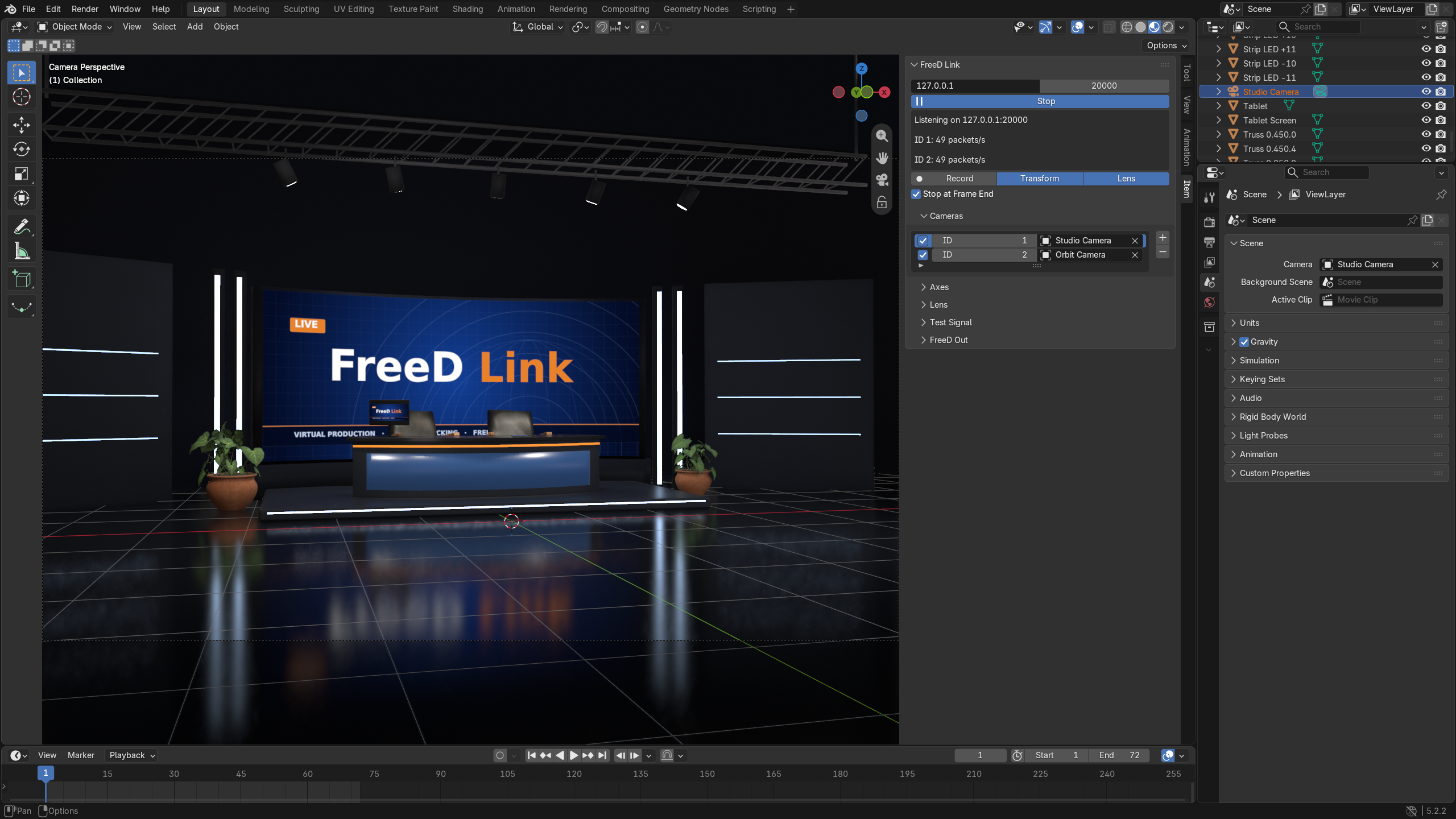
FreeD Link drives Blender cameras from live FreeD D1 tracking data. Point your tracker or PTZ camera at Blender's IP and the Blender camera follows the real one in real time.
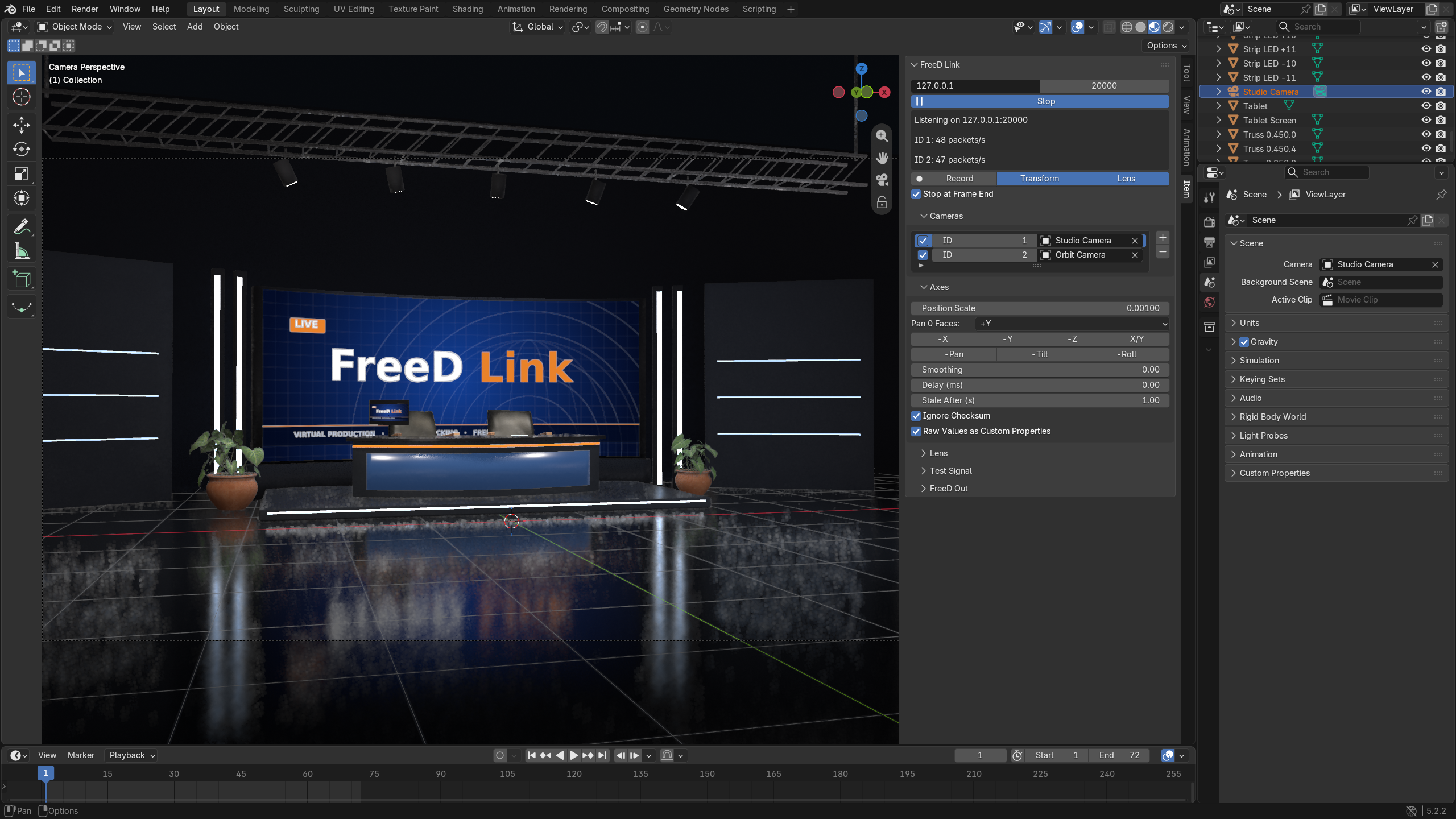
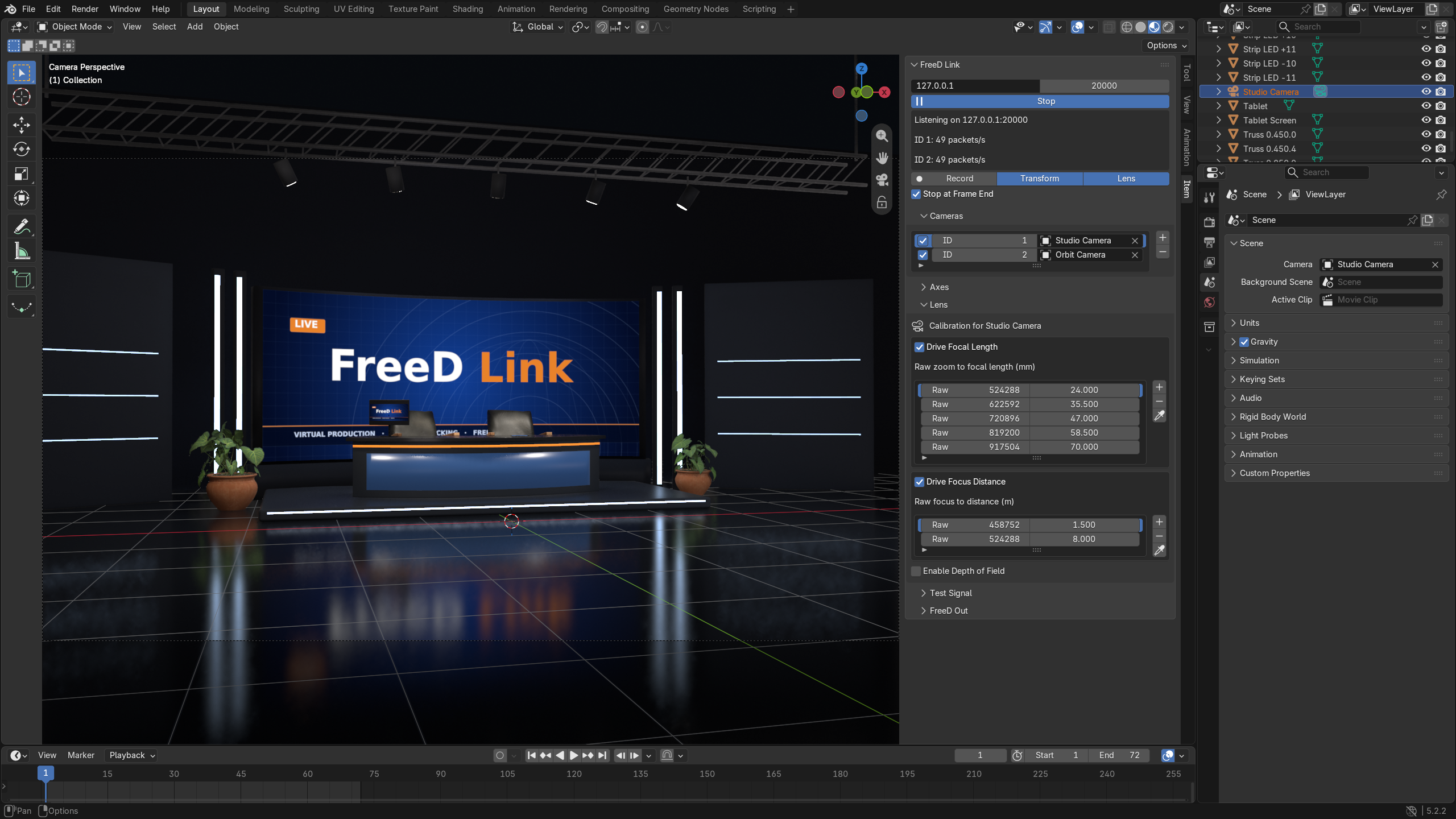
It reads position, pan, tilt, roll, zoom and focus. Axis settings line up any tracker's coordinate system with Blender's. Per-camera calibration tables turn raw zoom and focus encoder values into focal length and focus distance. Capture each point from the live lens with one click.
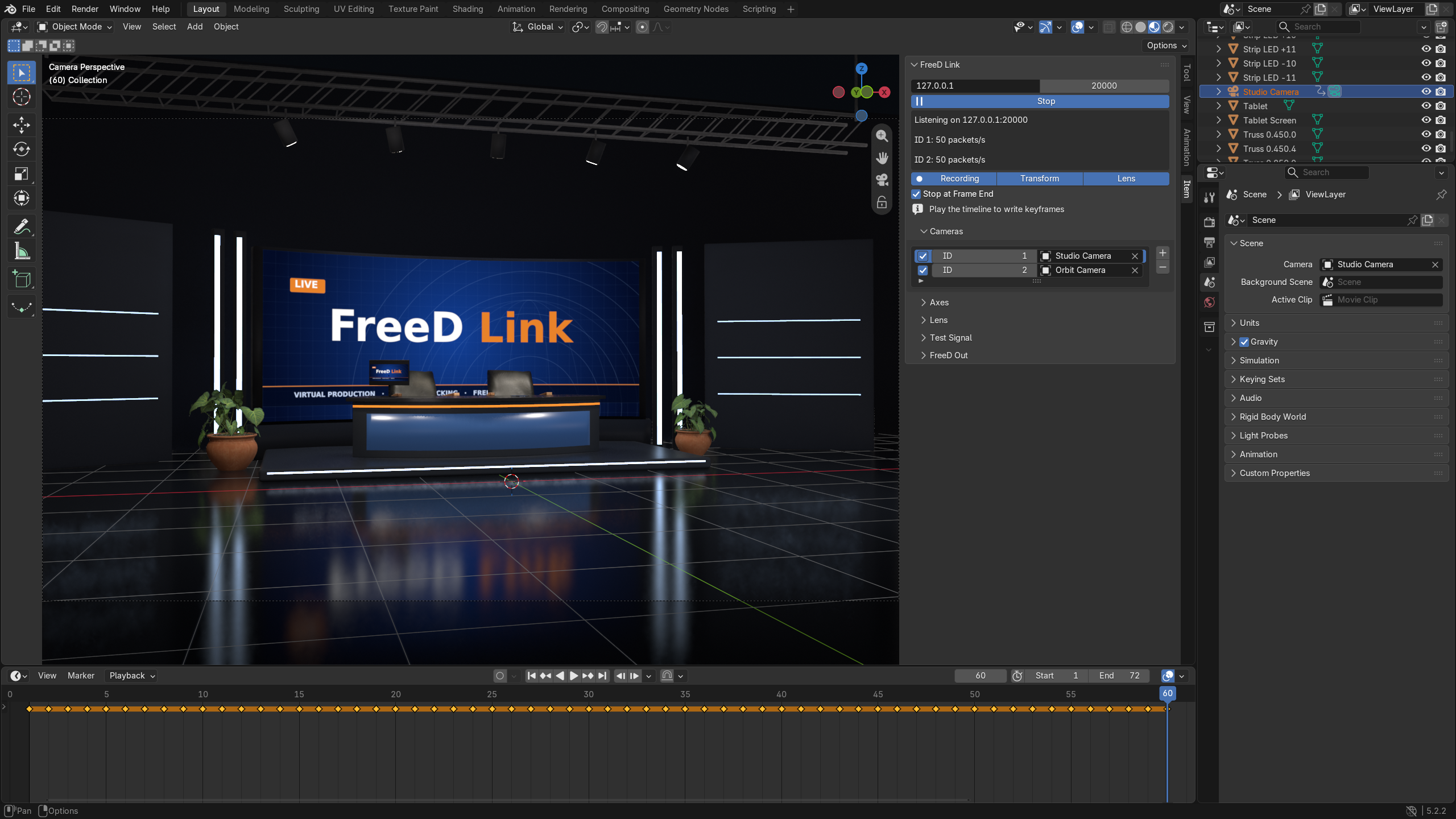
Track several cameras at once, one per FreeD ID. Smooth out jitter and delay tracking to match your video pipeline. Press Record and Play to bake the move to keyframes for a final render. The take can end at the last frame, and tracking pauses so you can review it. Raw values are also stored as custom properties, ready for drivers.
A built-in simulator sends an orbiting test camera, so you can set up a scene before the hardware arrives. A command-line sender is included in the extension folder too.
No Unreal Engine or middleware needed.
Supported sources
Any device or software that sends FreeD D1 packets over UDP, for example:
- Mo-Sys, Stype, Ncam and EZtrack trackers
- Vinten and Camera Corps robotic heads
- Panasonic AW-UE PTZ cameras
- Sony and Canon PTZ cameras with FreeD output
- Other virtual-production trackers with a FreeD D1 output
Features
Tracking
- Live FreeD D1 over UDP, on any port and network interface
- Several cameras at once, mapped by FreeD ID
- Axis mapping: scale, inversion, X/Y swap, pan 0 direction
- Smoothing and up to 2 s delay for video sync
- Lost cameras flagged in the panel
Lens
- Zoom calibration table to focal length, per camera
- Focus calibration table to focus distance, per camera
- Live capture of raw encoder values
- Optional depth of field on the camera
Output and testing
- Record to keyframes while the timeline plays, with optional stop at the end frame
- Raw pan, tilt, roll, zoom and focus as custom properties for drivers
- Built-in simulator
- Command-line test sender
Screenshots
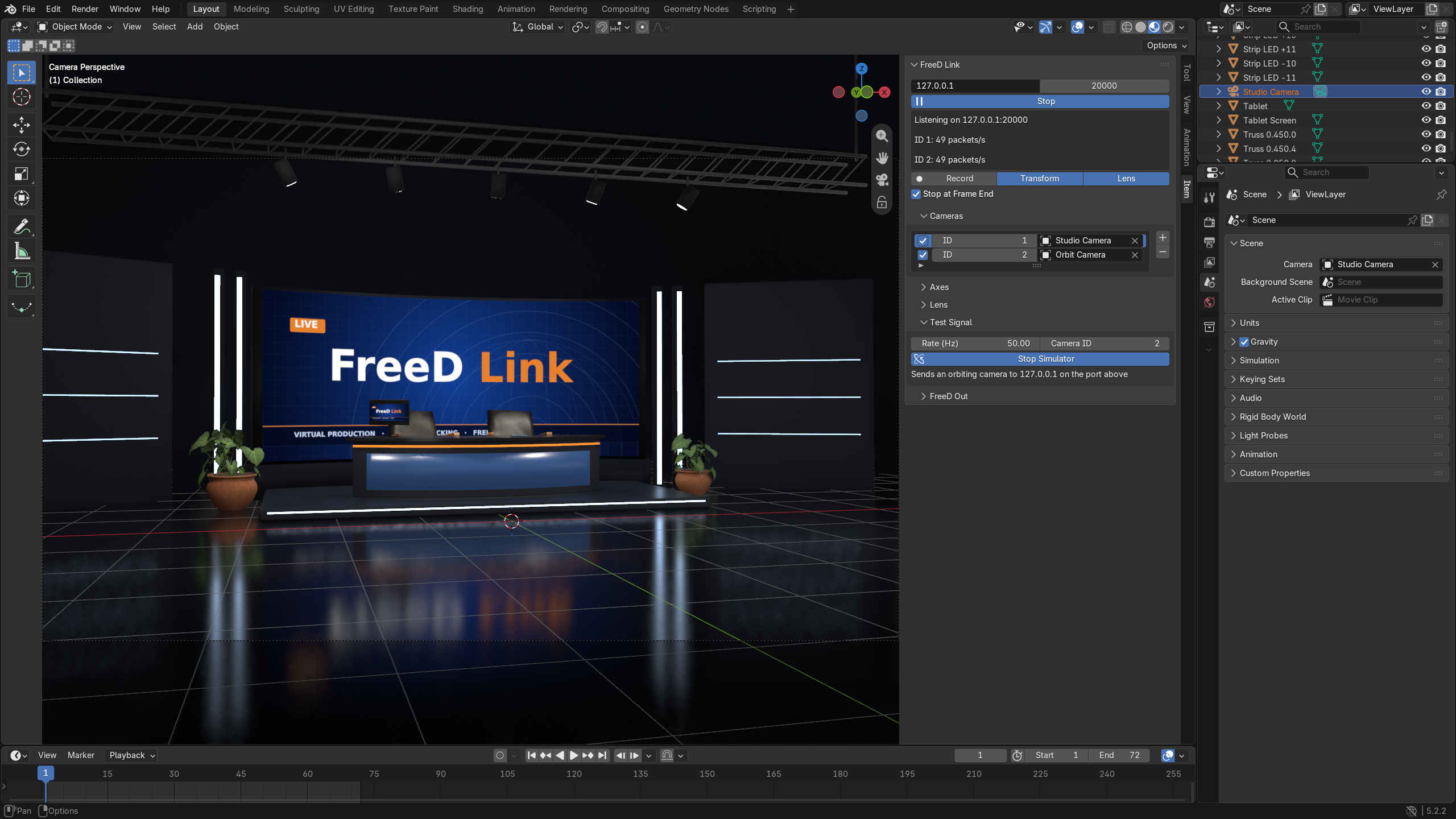
Quick start
Install
In Blender, open Edit > Preferences > Get Extensions, open the drop-down at the top right, choose Install from Disk and pick the FreeD Link .zip. The panel is in the 3D Viewport sidebar (N), FreeD tab.
See it move
- Click Start. FreeD ID 1 is mapped to the scene camera.
- Open Test Signal, click Start Simulator. The camera orbits the origin.
- Click Stop Simulator when done.
Connect your tracker
- Send FreeD D1 to this computer's IP, UDP port 20000. Allow that port in the firewall.
- Check the status box for a line such as
ID 1: 50 packets/s. A camera ID that stops sending shows aslost. - In Cameras, set each row's ID and camera. + adds a row.
Axes
In Axes, move the real camera and fix directions with -Pan, -Tilt, -Roll, -X, -Y, -Z, X/Y and Pan 0 Faces. Position Scale 0.001 gives metres. PTZ cameras send position 0, so parent the camera to an Empty placed where the PTZ head stands.
Lens
- Select the camera's row in Cameras. Each camera has its own tables. Open Lens, enable Drive Focal Length.
- Zoom fully wide, click +, type the focal length.
- Zoom fully tight, click +, type the focal length.
- Add 1 to 3 points in between.
Record
Click Start, then Record, then press Play. Keys are written every frame. Click Recording to stop, or let Stop at Frame End end the take at the last frame. Turn recording off before scrubbing, because any frame change writes keys.
Ending a take pauses live tracking so you can review the keys. Click Go Live to resume.
FAQ
Does it work with Panasonic PTZ cameras?
Yes, with FreeD output enabled on the camera. Pan, tilt, zoom and focus drive the Blender camera. PTZ cameras send no position, so parent the Blender camera to an Empty placed where the PTZ head stands.
Do I need Unreal Engine?
No. FreeD Link receives FreeD directly in Blender.
What latency does it add?
Packets are applied up to 120 times per second; on an idle viewport the added latency is typically under 10 ms, and the Delay setting lines tracking up with slower video.
Can I record the camera move?
Yes. Press Record, then Play. Location, rotation, focal length and focus distance are keyed every frame.
What is not included?
Tracking hardware, and proprietary tracking protocols. FreeD Link reads FreeD D1 only.
What about refunds and support?
Refunds follow the policy of the store you bought from. For support, email support@furyengine.dev.